# Line length

You can adjust the text line length of your note in **normal mode** by going to **`Settings`** > **`Editor`** > **`Line length`**&#x20;

<figure><img src="https://3053791484-files.gitbook.io/~/files/v0/b/gitbook-x-prod.appspot.com/o/spaces%2FFt4LISrSRa6fHrbSIdcE%2Fuploads%2FdXcS3T3rMPc2ApCn5KDQ%2Flinelength.gif?alt=media&#x26;token=68d5d0b8-c110-449b-9c97-4100ef11c38c" alt=""><figcaption></figcaption></figure>

If you are in the **Focus Mode**, click the **`...`** button in the upper right corner of your UpNote window and select **`Line Length`**

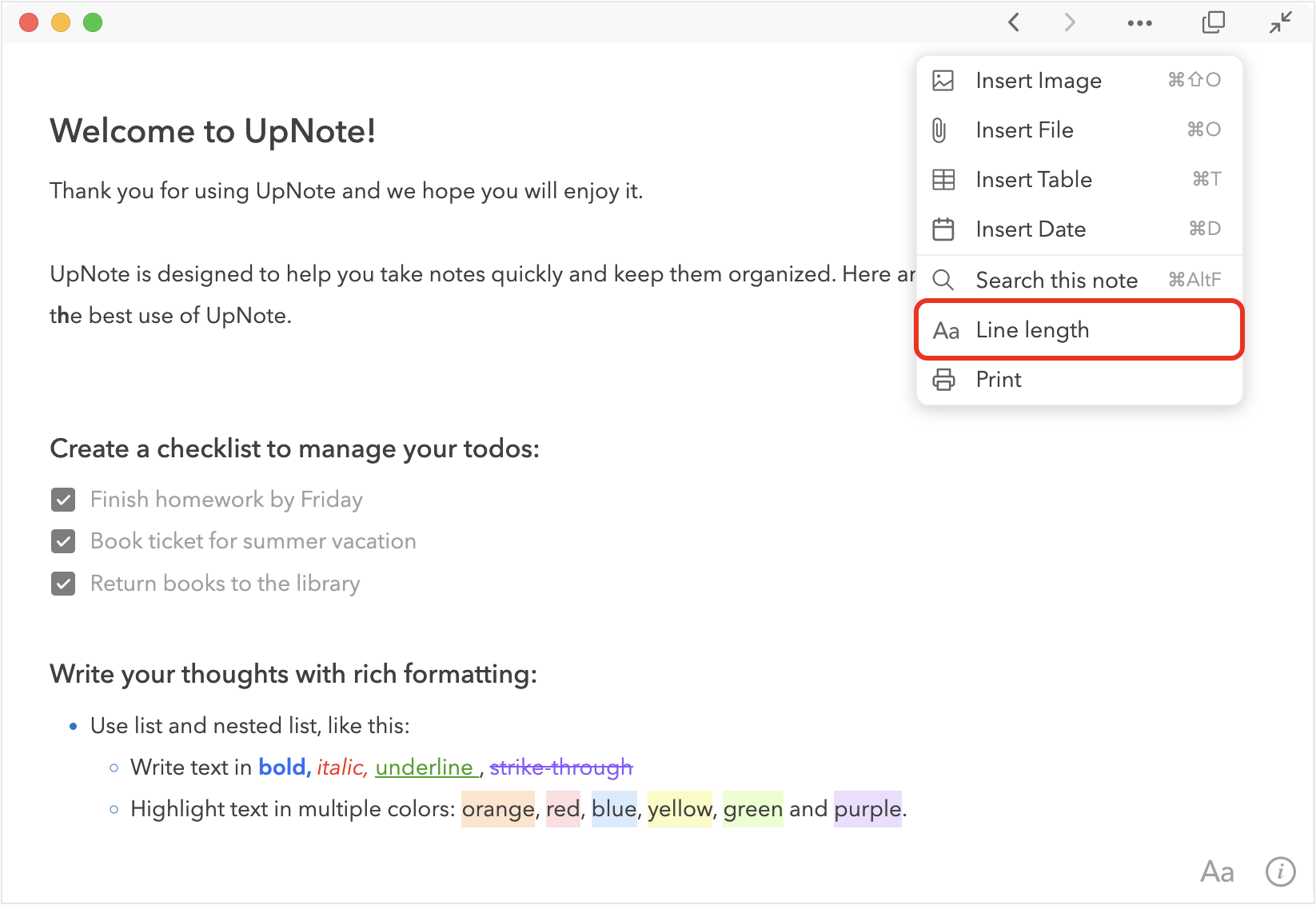
<figure><img src="https://3053791484-files.gitbook.io/~/files/v0/b/gitbook-x-prod.appspot.com/o/spaces%2FFt4LISrSRa6fHrbSIdcE%2Fuploads%2FKvyCD3IZmzZ1mmQcJQV1%2Fimage.png?alt=media&#x26;token=8a673963-7d55-43fb-b20e-d0f9056a1e04" alt=""><figcaption></figcaption></figure>
