> For the complete documentation index, see [llms.txt](https://help.getupnote.com/llms.txt). Markdown versions of documentation pages are available by appending `.md` to page URLs; this page is available as [Markdown](https://help.getupnote.com/write-and-edit/info-panel.md).
# Info Panel
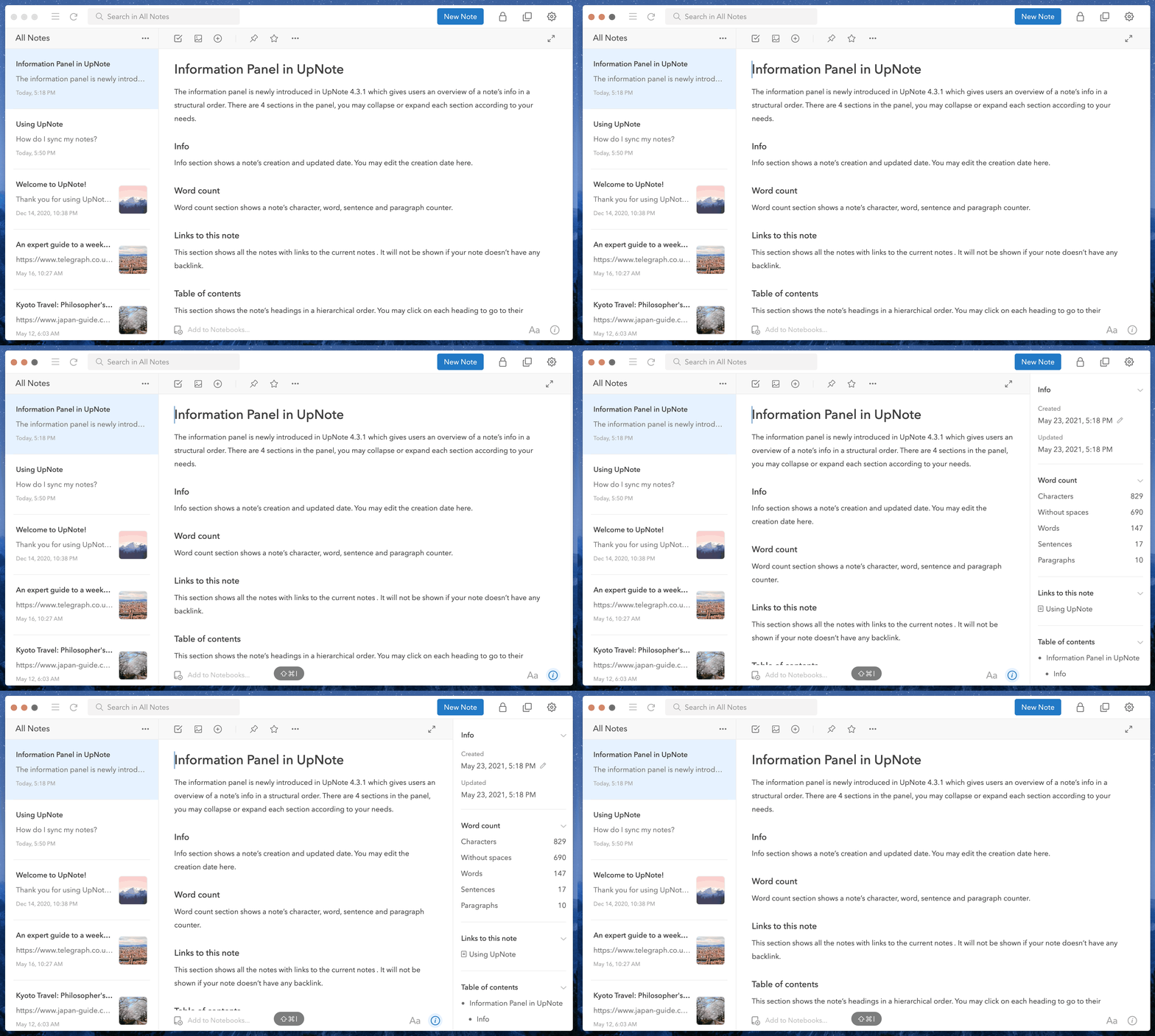
The **Information Panel** provides a structured overview of a note’s details and navigation tools. It includes four sections, each of which can be expanded or collapsed as needed:
* **Info:** Displays the note’s creation and last updated dates. You can also edit these dates directly here.
* [**Word Count**](/write-and-edit/info-panel/word-count.md)**:** Shows statistics for characters, words, sentences, and paragraphs.
* **Links to This Note:** Lists all notes that link to the current one. This section appears only if backlinks exist. [Learn more](/write-and-edit/links-between-notes.md) about bi-directional linking in UpNote.
* [**Table of Contents**](/write-and-edit/info-panel/table-of-contents.md)**:** Displays the note’s headings in a hierarchical view. Click a heading to jump to that section. This section appears only if the note contains headings.
### On desktop
To show or hide the information panel, click on the **`info`** icon at the bottom right corner of your note’s window or use the shortcut **`Ctrl/Cmd + Shift + I`**
### On mobile
Tap the icon in the top right corner of the note editor to show the info panel.

 icon in the top right corner of the note editor to show the info panel.