> For the complete documentation index, see [llms.txt](https://help.getupnote.com/llms.txt). Markdown versions of documentation pages are available by appending `.md` to page URLs; this page is available as [Markdown](https://help.getupnote.com/organize-and-manage-notes/find-and-view-notes/sort-notes.md).
# Sort notes
UpNote allows you to **sort your notes** in different ways so you can view them in the order that works best for you. You can sort notes by **title** or **date**, or set a **custom order** to keep your notes organized your way.
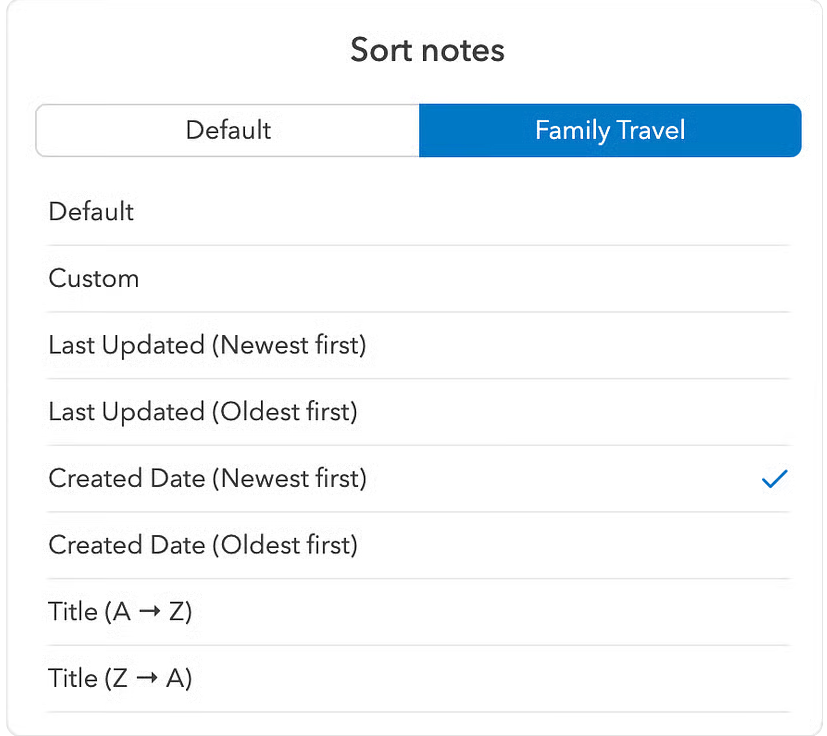
By default, notes are sorted by **Last Updated (newest first)**. You can change the sorting order globally or set different sorting preferences for each notebook and tag — UpNote remembers your choice separately for each view.
***
#### On Desktop (Windows, Linux & macOS)
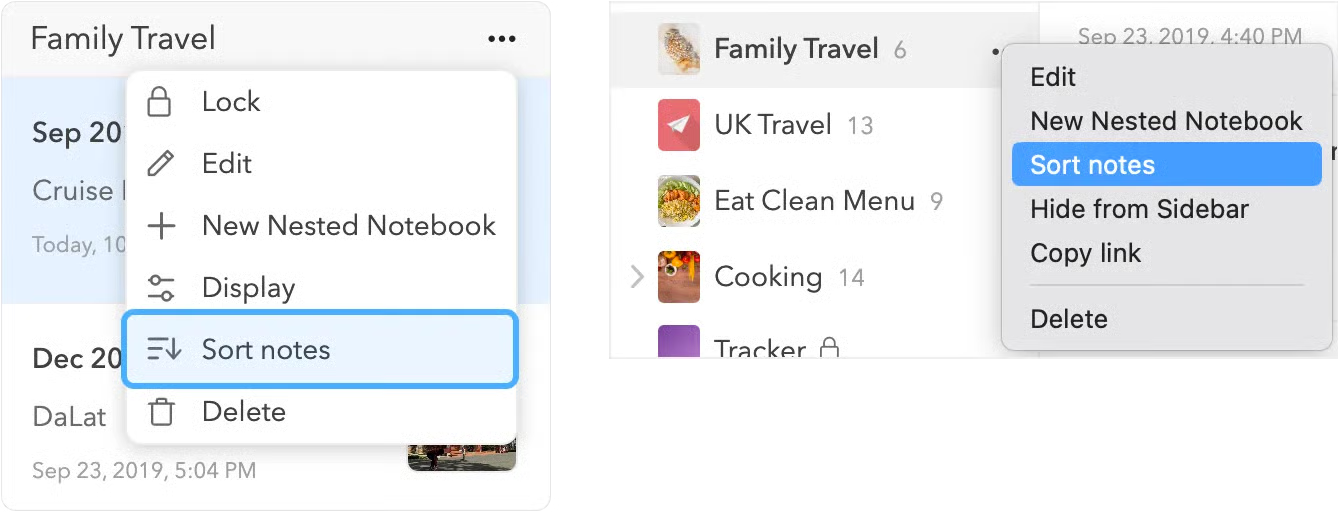
1. Click the **More (⋯)** button in the upper-right corner of the note list.
2. Select **Sort Notes**.
3. You can also right-click a **notebook** or **tag** in the sidebar and choose **Sort Notes** from the menu.
#### On Mobile (iOS & Android)
1. Tap the **More (⋯)** button in the lower-right corner of the note list.
2. Select **Sort Notes**.
3. Choose the sorting order you prefer.
Once selected, you can set or change the **default sorting order** for that notebook or tag.
***
#### Syncing Behavior
* The **sort order of each notebook, tag, or filter** is synced across all your devices.
* The **default sort order** of your notes list is *not* synced and is specific to each device.
***
#### Sort Notes in Custom Order
Custom sorting lets you manually reorder notes in the note list.
**On Desktop**
1. Set the sorting order to **Custom**.
2. Click the **Rearrange icon** at the top of the notes list.\

3. Drag notes **up or down** to reorder their position.
**On Mobile**
1. Set the sorting order to **Custom** (following the steps above).
2. Drag notes **up or down** in the list to place them in the order you want.