# スペースを切り替える

複数のスペースがある場合、サイドバー上部に表示されているスペース名をクリック／タップし、切り替えたいスペースを選択できます。

<figure><img src="https://cdn-images-1.medium.com/max/1760/1*B98bk9in_qjqGULkpxV9zg.png" alt=""><figcaption></figcaption></figure>

デスクトップでは、キーボードショートカット **`Cmd/Ctrl + J`** を使って、スペース選択メニューをすばやく開くこともできます。

<figure><img src="https://cdn-images-1.medium.com/max/1760/1*kJfjgfuZhuCknHyYpHE0qw.png" alt=""><figcaption></figcaption></figure>

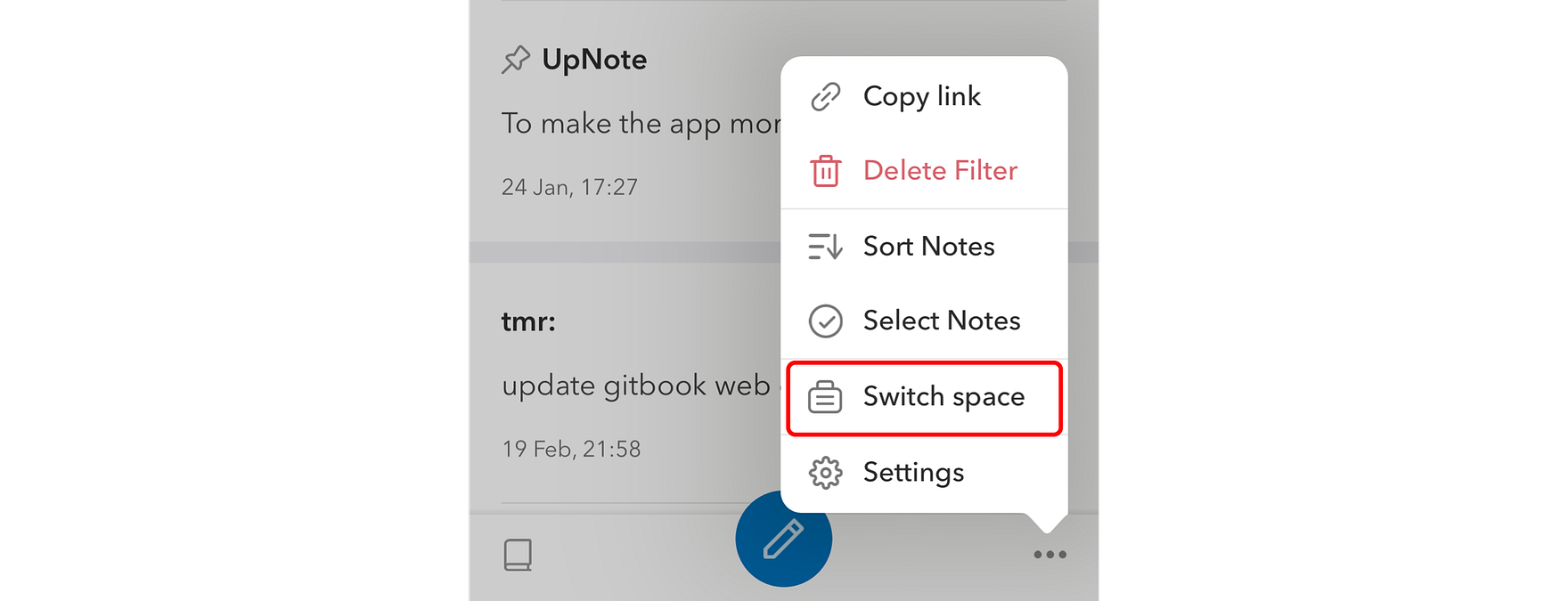
モバイルでは、ノート一覧画面右下の **`...`** をタップし、**`スペースを切り替える`** を選択します。

<figure><img src="https://cdn-images-1.medium.com/max/1760/1*zQ2YEyUU05_Lxv5TL22gug.png" alt=""><figcaption></figcaption></figure>


---

# Agent Instructions: Querying This Documentation

If you need additional information that is not directly available in this page, you can query the documentation dynamically by asking a question.

Perform an HTTP GET request on the current page URL with the `ask` query parameter:

```
GET https://help.getupnote.com/ja/organize-and-manage-notes/organize-with-spaces/switch-between-spaces.md?ask=<question>
```

The question should be specific, self-contained, and written in natural language.
The response will contain a direct answer to the question and relevant excerpts and sources from the documentation.

Use this mechanism when the answer is not explicitly present in the current page, you need clarification or additional context, or you want to retrieve related documentation sections.